Barcode picking software for ecommerce warehouses.
Connect orders, shelf locations and barcode checks in one guided tote-picking workflow. Explore Nexcell’s interactive demo and plan a warehouse pilot for your UK multichannel business.
Used in our own warehouse. Public access is not open yet; register interest to discuss your devices and workflow before a pilot.
Tip: press SCAN or the Space bar to pick yourself
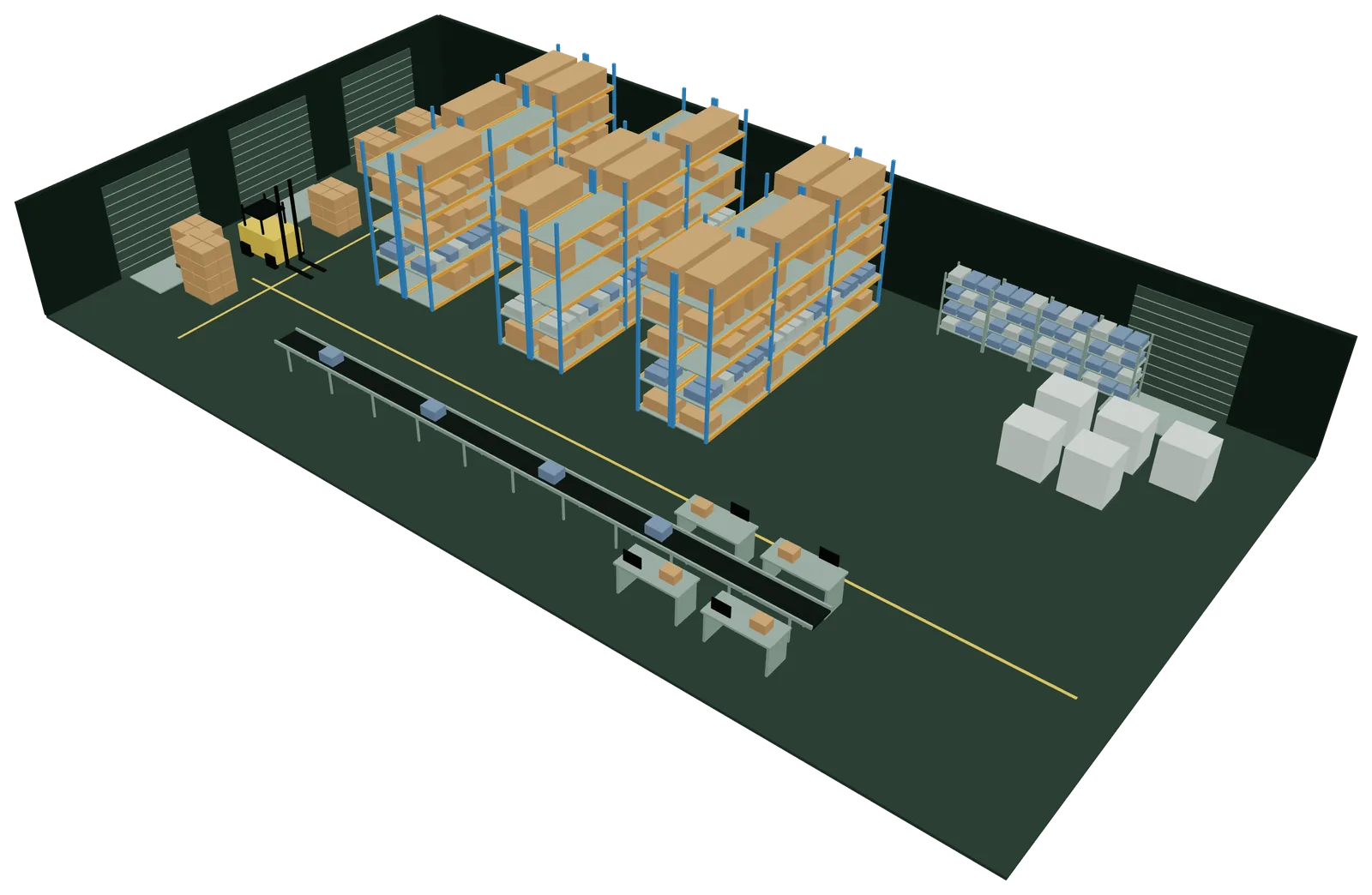
The same map on the dashboard and the PDA.
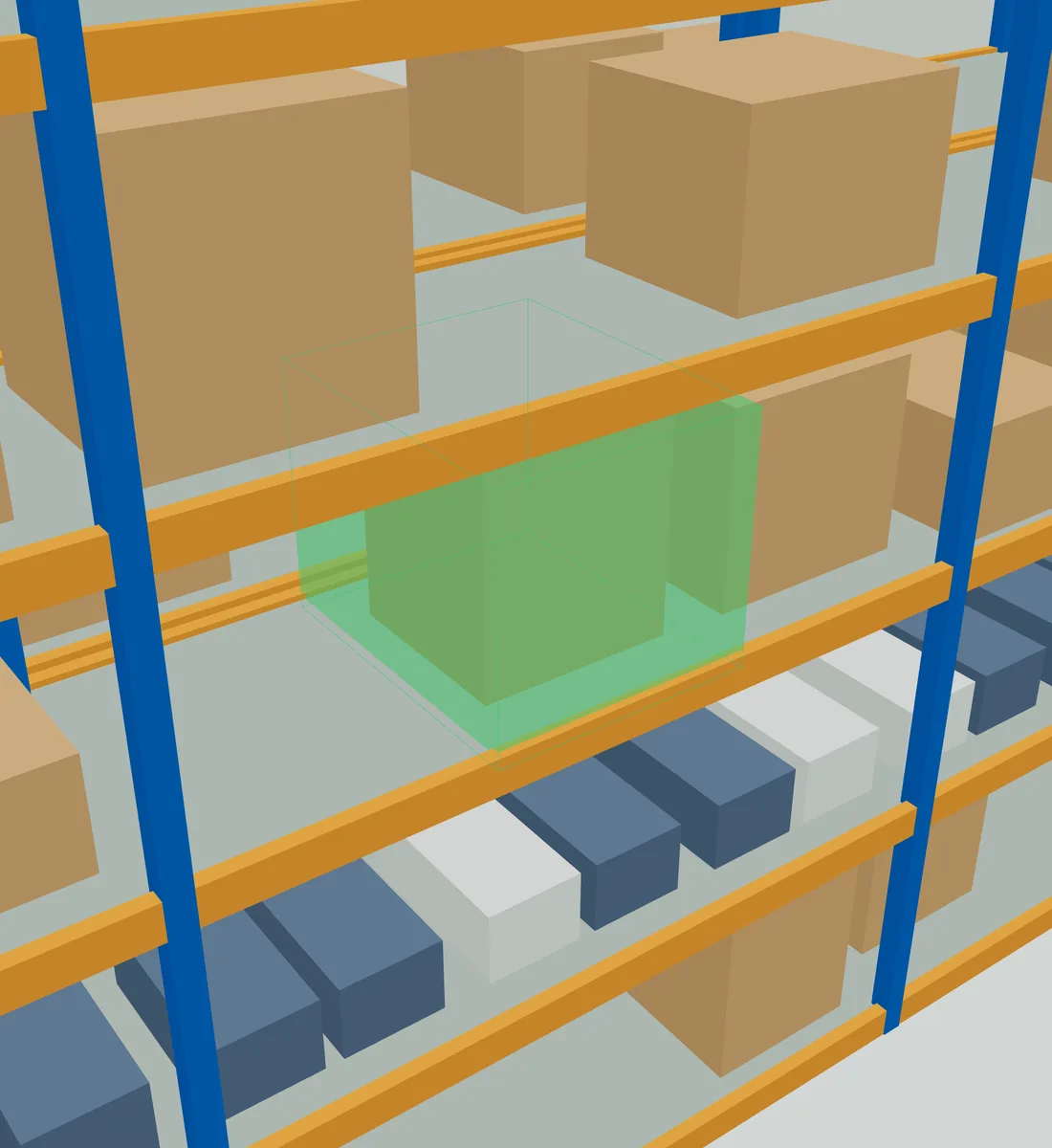
Every bay, level and section is modelled in 3D. Pickers see exactly where R2-03-05 is — and managers can explore the whole floor.
Every tote has a job — and only one.
Scanning a tote links it to an order. Picking progress stays with that tote through the ready-to-pack and shipped stages.
On the rack, ready for any order
freeLocked to one order while picking
in_progressEvery line picked & confirmed
ready_to_packReleased once the order ships
freeTwo safety states catch the exceptions: awaiting supplier holds a part-picked order until the rest arrives, and to goods-in books units back to stock when an order is cancelled after picking.
One device for the whole warehouse.
Goods in
A sent PO becomes a receiving task. Count the delivery on the PDA, record unexpected items and snap pallet or damage photos.
Put-away
Each received SKU becomes its own put-away task, so two people can clear the same pallet at once.
Stock takes
Count by area, resume on another device, and close without ever zeroing shelves you didn’t visit.
Refills
Suggested pick-shelf refills from overstock, based on shelf capacity, open picks and 30 days of sales.
Short picks handled
“Can’t pick” keeps the order safe, returns picked units to goods-in and holds the shelf until it’s counted.
Per-person PINs
Every picker signs in with their own PIN, so every task is timed against the right person in Staff Metrics.
From handheld to hands-free.
AR glass picking puts the next shelf and quantity in the picker’s view. Mouseless picking runs the pack bench from a scanner alone. The Volumetric Box Picker chooses the right box for every basket.
Test the exceptions, as well as the easy pick.
Compare barcode picking software with a small, agreed warehouse pilot. Use your own products, labels, devices and test orders, then record what actually happened.
Start with a simple order: identify the tote, find the shelf, scan the correct units and confirm the handoff to packing. Then work through the eight checks below. These are selection criteria for discussing any proposed system, not a claim that every scenario is automatically covered by Nexcell.
Scroll the table sideways to see every column.
| Check | Try this | Evidence to record |
|---|---|---|
| Wrong product | Scan a different product from the one requested. | The mismatch is visible and the incorrect item is not counted as a successful pick. |
| Neighbouring variant | Scan a similar size or colour from the same product family. | The exact sellable variant is checked, rather than accepting a similar product name. |
| Singles and packs | Pick one single, one inner pack and one carton from your own catalogue. | The team can explain what each scan consumes and reconcile the resulting quantities. |
| Short pick | Use a shelf with fewer usable units than the order needs. | The shortage has an owner and a clear next step; staff can distinguish a partial pick from a completed one. |
| Cancellation after picking | Cancel a test order after units have entered its tote. | The operator can trace and reconcile the order, physical units and tote before reuse. |
| Repeated scan or retry | Repeat an action at a quantity boundary and retry a pending action. | Accepted quantities and any correction are visible; a retry does not silently add an extra completed action. |
| Shared device | Hand an in-progress task to another authorised picker. | The correct person, task and progress remain identifiable without sharing a personal sign-in. |
| Connection loss | Interrupt Wi-Fi during an agreed test, then reconnect. | Staff can distinguish saved work from pending work and reconcile quantities before continuing. |
Agree a safe test environment and expected outcomes with the provider first. Use synthetic orders, protect live stock and keep the original quantities and task state so results can be reconciled. Record a result, reviewer and follow-up for every check; an unresolved exception is a question to answer before rollout.
Take the checklist into your next software demo
The editable CSV includes all eight checks, with space for results, evidence, an owner and follow-up. No registration is needed. It is a comparison worksheet, not a Nexcell import file or a compatibility certificate.
Download the picking pilot checklist (CSV)Get the stock relationships right before scanning
A successful scan is useful only if it refers to the intended sellable item. Preserve product and packaging identities, especially where singles and multipacks share components. Our marketplace SKU mapping guide explains the identity review; the inventory management overview connects that review to stock commitments and channel availability.
Questions to ask before choosing a system.
What is the difference between barcode picking and inventory management?
Inventory management answers what stock you hold, what is committed and what can be offered for sale. Barcode picking guides the physical collection of an order from its locations and checks the items being picked. A system can track stock without guiding warehouse staff through each pick. Compare both parts of the journey, including when accepted picks affect stock and order status.
Do I need a handheld PDA, or can I use a phone and scanner?
A device reading a barcode is only one part of compatibility. Check the supported operating system, how scans reach the application, screen layout, battery life and Wi-Fi coverage. Then test your actual labels and picking tasks on the exact device. Nexcell’s scanner workflow is intended for Android handheld PDAs with built-in scanners; confirm a specific model with us before buying it. The browser demo does not establish compatibility with a phone camera, Bluetooth scanner or every Android device.
Can a product barcode, a shelf label and a tote label do the same job?
They identify different things. A product label identifies the item or packaging level being handled; a shelf label identifies a storage location; a tote label identifies the container used for the order. Keep those relationships explicit and check singles, packs and cartons separately. A scan can be readable while still being linked to the wrong record. Resolve ambiguous product identities before a pilot.
Will barcode picking work when warehouse Wi-Fi drops?
Check this with each software provider instead of assuming that an open screen means a pick was saved. Ask which actions need a connection, how pending work is shown, what happens on retry and how another device sees the result. Agree a connection-loss test before a pilot. Nexcell’s interactive website demo is a simulation, not proof of offline operation; confirm the connection requirements of your proposed setup with us.
Can barcode picking prevent every picking or packing mistake?
No system should be selected on that promise alone. Barcode checks can flag a mismatched item, but incorrect labels, product mappings, pack quantities and manual exceptions still need attention. Test the handoff from picked tote to pack bench as well as the scan itself. Decide who resolves a shortage, cancellation or damaged item and how the final contents are checked before dispatch.
Plan barcode picking for your warehouse.
Register interest and tell us about your orders, devices, labels and warehouse layout. Confirm compatibility and onboarding before a pilot.